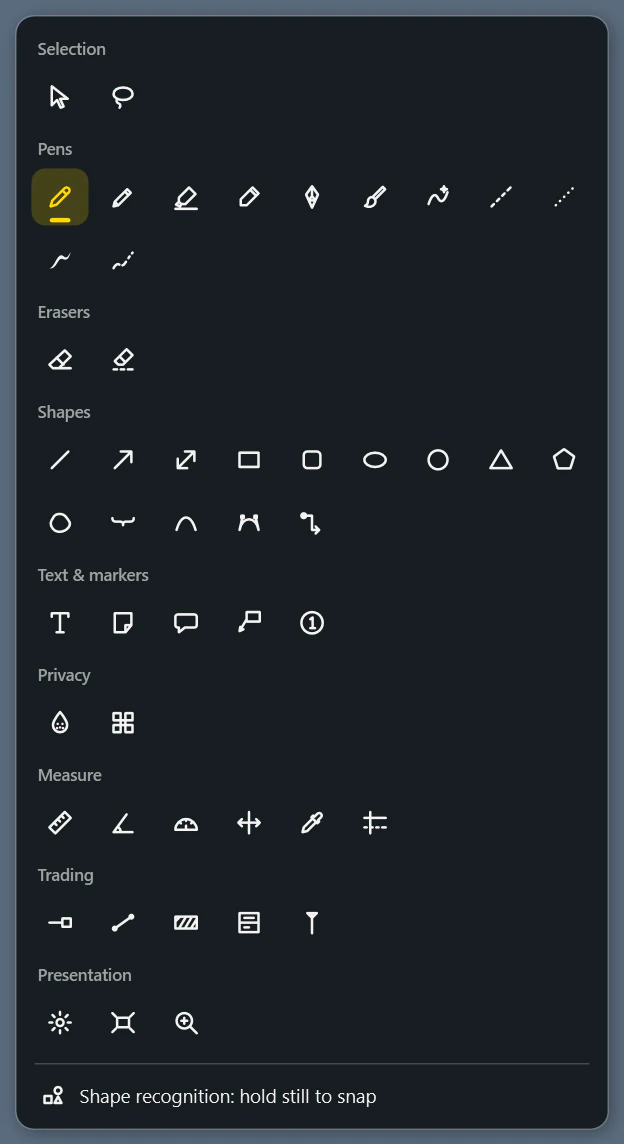
50 tools in one menu
Ten pens, a laser pointer and fading ink. Shapes from a line to a Bézier curve, text, sticky notes, speech bubbles and numbered markers. Plus blur and pixelate, ruler, protractor, colour picker and markups for trading charts.
 Syphron Sketch
Pens, shapes, text and measuring tools right on top of Windows, on every monitor. Free, offline, no account and no subscription.
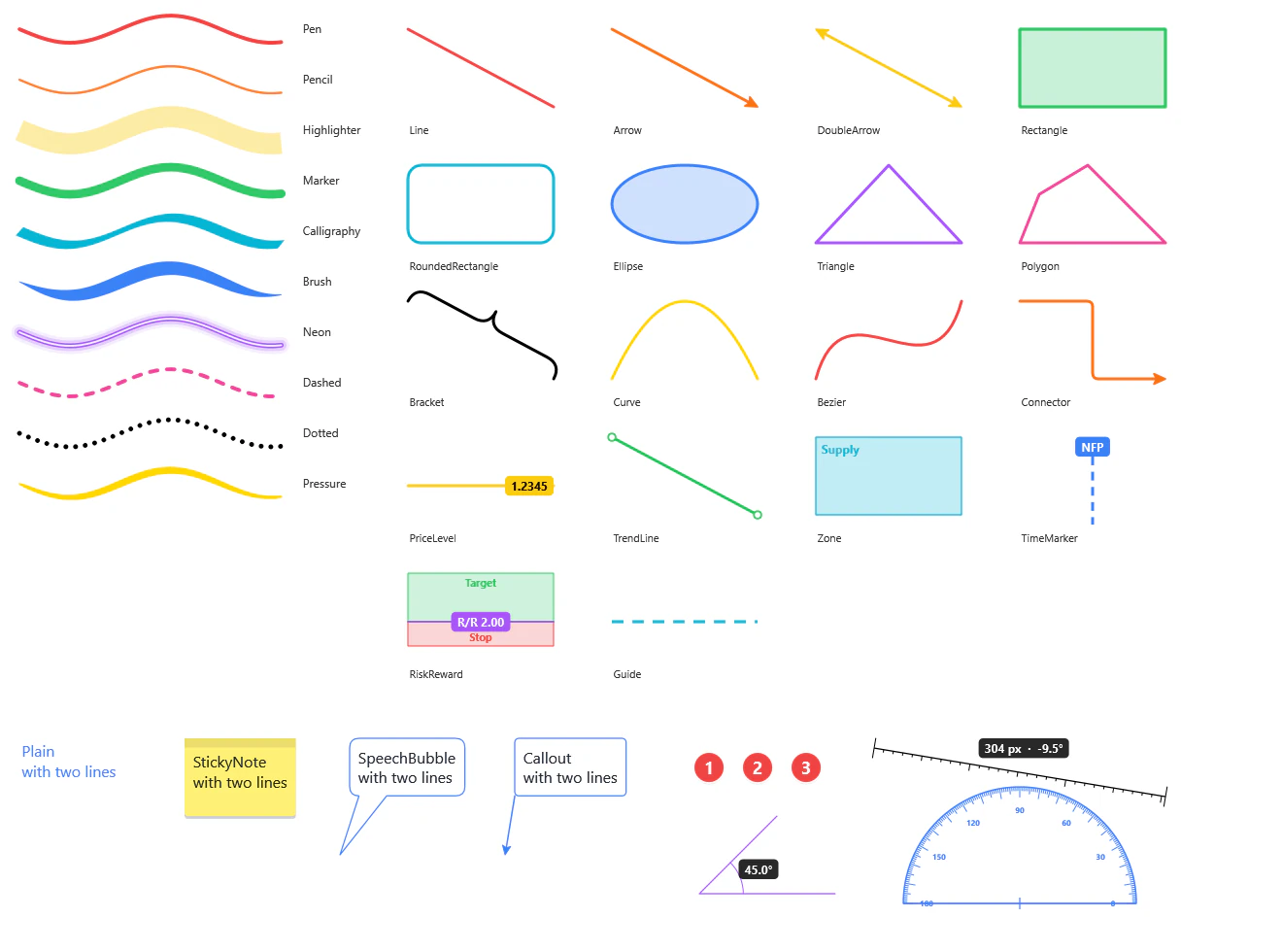
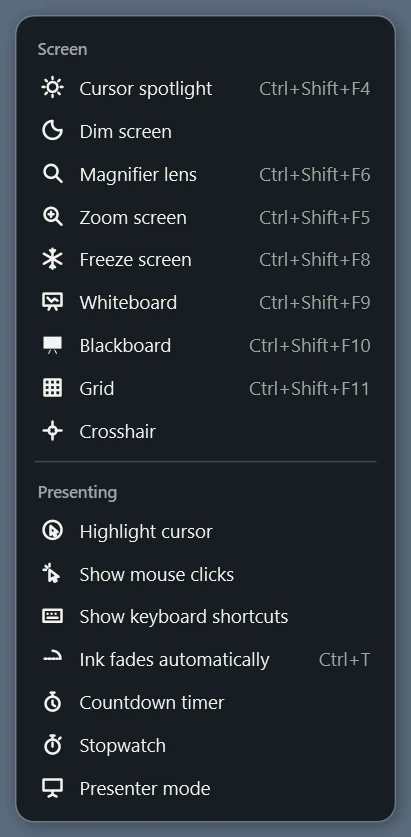
The toolbar floats above everything, docks to any screen edge and can be scaled and made transparent. Whatever is not on the bar sits in two menus that close by themselves on your next stroke.

Ten pens, a laser pointer and fading ink. Shapes from a line to a Bézier curve, text, sticky notes, speech bubbles and numbered markers. Plus blur and pixelate, ruler, protractor, colour picker and markups for trading charts.
Spotlight, dimming, magnifier, zoom, frozen screen, whiteboard and blackboard. For training and recordings Sketch shows mouse clicks and keyboard shortcuts, with a countdown and stopwatch.
Neither the toolbar nor the drawing surface takes keyboard focus. Your clicker and keyboard keep driving PowerPoint while you draw.
Hold still for a moment at the end of a stroke and a rough circle becomes a clean one. It runs locally, no AI service involved.
Every stroke stays an object: move, rotate, recolour, group, lock. Layers with visibility and opacity, and undo without a limit.
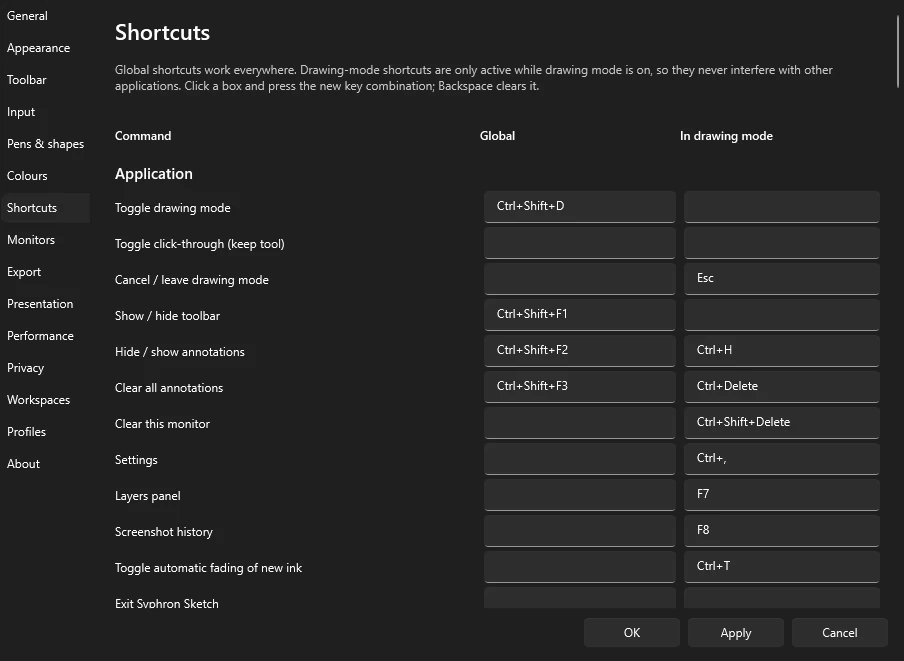
Globally, Sketch claims just a few Ctrl+Shift combinations. Short keys like P for the pen or Ctrl+Z only apply while drawing mode is on, and the arrow keys only when something is selected.
Every binding can be changed. The settings page flags duplicates and shortcuts that another application already owns straight away.
Syphron Sketch costs nothing, and every tool is available to everyone. No trial, no ads, no sign-in. Write to us and you will receive the installer or the portable version.